Product Hunt Alternative
Product Hall of Fame
ProductFame helps founders launch products, gain visibility, and earn backlinks while users discover new startups and tools.
ProductFame helps founders launch products, gain visibility, and earn backlinks while users discover new startups and tools.



Chang Daniel
Overview
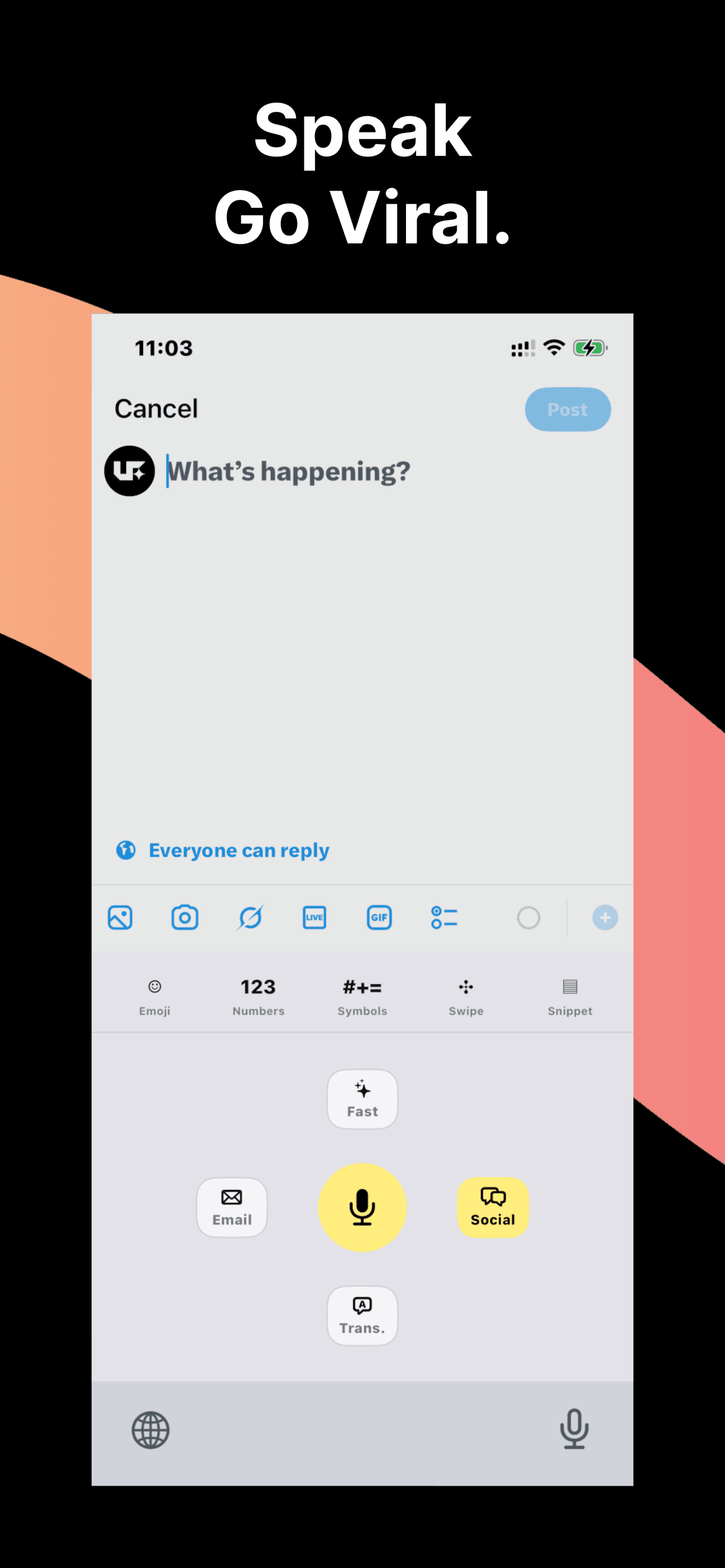
use.fo is an AI voice typing keyboard for iPhone. It helps people turn natural speech into polished text directly from the keyboard, without switching to a separate AI writing app. Users can speak from the keyboard, choose a writing mode, and insert the rewritten result back into the app where they were already typing.
The product is designed for mobile-first professionals who write a lot from their phone: support reps, salespeople, PMs, marketers, creators, founders, and heavy AI users. Instead of opening ChatGPT or another AI app, dictating a thought, waiting, copying the answer, switching back, and pasting, use.fo keeps the workflow close to the text field.
Key Features
AI voice typing lets users speak naturally and receive cleaner, more useful text than raw dictation. Writing modes include Email, Work, Translate, Social, and Proofread, so the same spoken idea can become a professional email, a Slack-style reply, a translated message, a social caption, or a corrected note.
The app also supports reusable prompt shortcuts for common writing patterns. These prompt shortcuts sync through the user's own Google Drive, which keeps templates portable without turning them into another third-party prompt database. The keyboard-first workflow is the main differentiator: use.fo is built around writing where the user already is, not asking them to move their text through another app.
Use Cases
A salesperson can dictate a follow-up after a call and turn it into a clear, polite email. A support rep can speak a quick answer and polish it before sending. A founder can turn rough thoughts into a concise LinkedIn post or product update. A multilingual user can speak in one language and convert the message for another audience. A busy mobile worker can proofread short messages before sending them in WhatsApp, Gmail, Slack, LinkedIn, Notes, or any app where the iPhone keyboard appears.
Getting Started
Install use.fo from the App Store, enable the keyboard, and choose use.fo when typing in any supported text field. From there, speak naturally, select the writing mode that matches the context, and insert the polished result back into the current app. The onboarding focuses on making the iOS keyboard extension permissions clear, including why full keyboard access is required for cloud AI processing and prompt sync.
Pricing & Plans
use.fo is available on iPhone with a freemium model. Users can start with the core voice typing workflow and upgrade for higher usage and advanced AI writing features as needed. The official website and App Store page provide the latest plan details, privacy notes, and download links.
Product details are supplied by the publisher. Verify current features, availability, and pricing on the official use.fo - AI Voice Typing website.

Tool Hall of Fame

