Product Hunt Alternative
Product Hall of Fame
ProductFame helps founders launch products, gain visibility, and earn backlinks while users discover new startups and tools.
ProductFame helps founders launch products, gain visibility, and earn backlinks while users discover new startups and tools.

Akhilesh Joshi
Overview
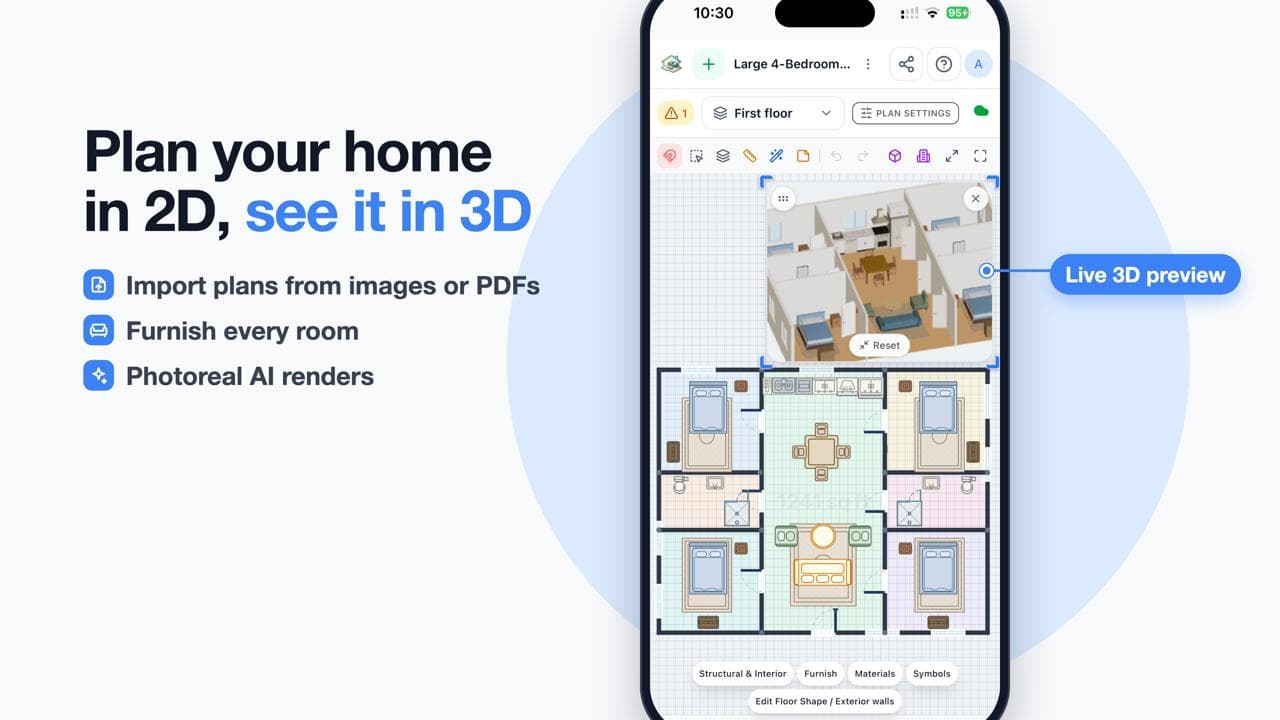
RoomSketch3D Floor Planner lets you draw floor plans, scan rooms with AR, furnish them and walk through in 3D, right in your browser. Plan your home in 2D, see it in 3D, and test layouts before you move a single piece of furniture or sign a lease. There is nothing to install: open the site, start sketching, and your plan turns into a 3D model you can explore. $19.99 one-time, no subscription. By ImmEx Technologies, Inc.
Key Features
Draw floor plans in 2D: sketch walls, rooms, doors and windows with a simple editor, or start from a template or an imported plan so you do not begin from a blank page.
Scan rooms with AR: capture the size and shape of a real room with your phone camera and bring it into your plan, which saves time compared with measuring every wall by hand.
Furnish every room: browse a furniture library, drag pieces into place and rearrange them until the room feels right.
Walk through in 3D: switch from the flat plan to a 3D view, look at the whole home from above like a dollhouse, or step inside and walk through it at eye level.
Flow check: see how people would move through your layout so you can spot tight corners, blocked doors and awkward spacing early.
Export and share: export your plan so you can send it to family, a designer, a contractor or an agent.
Runs in the browser: works on desktop and mobile browsers without a heavy download or a powerful workstation.
Use Cases
Homeowners and renters planning a move, a rearrangement or a renovation can try ideas before spending money.
Interior design enthusiasts and professionals can mock up rooms quickly and show clients a 3D walkthrough instead of a flat drawing.
Real estate agents, landlords and home stagers can sketch a property layout and show how a space could be furnished.
Students, hobbyists and DIY builders can learn spatial planning and produce clean plans for small projects.
Anyone who wants a quick productivity win for home projects can replace paper sketches and tape-measure guesswork with one tool.
Getting Started
Open roomsketch3d.com, create a new plan, and choose a template, import an existing plan, or draw your first room from scratch. Add walls, doors and windows, then place furniture from the library. Press the 3D button to see your design come to life, and use the walkthrough to check how the space feels. If you want to start from a real room, use AR scanning on your phone to capture its dimensions first.
Pricing and Plans
RoomSketch3D Floor Planner costs $19.99 as a one-time payment. There is no subscription, no monthly fee and no recurring charge, so you pay once and keep planning as many homes and rooms as you like. It is built and maintained by ImmEx Technologies, Inc. Visit roomsketch3d.com to try it and see how quickly a floor plan becomes a 3D home.
Product details are supplied by the publisher. Verify current features, availability, and pricing on the official RoomSketch3D Floor Planner website.
Directory Submission Service


