Overview
Pixel Animation Generator is a digital product designed to help users understand a clear problem space, evaluate available capabilities, and decide how the solution can support real workflows through its website at https: //pixelanimation. io.
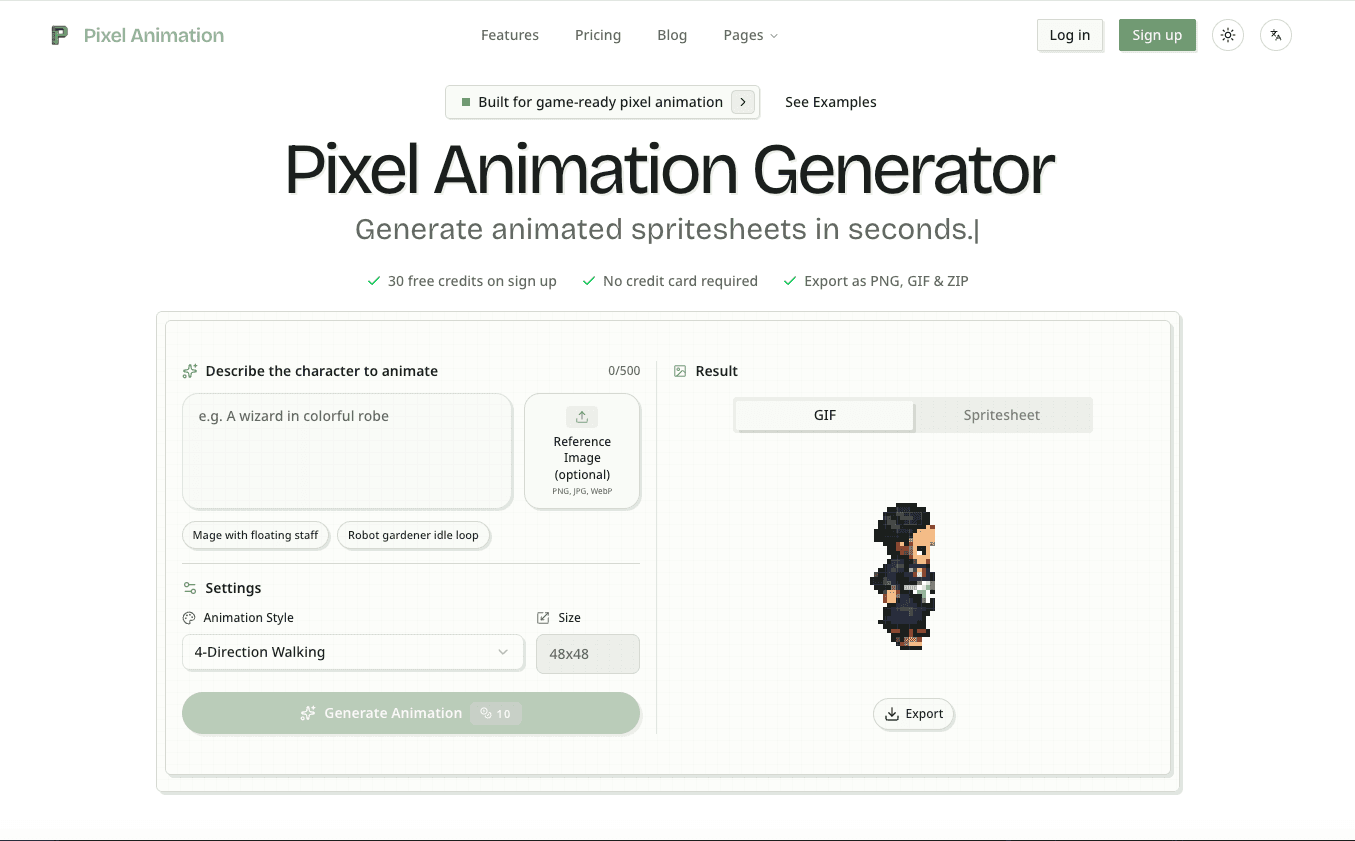
Overview Pixel Animation Generator is an AI-powered tool designed to create pixel art animations, animated spritesheets, and pixel sprite assets directly from text prompts.
It streamlines the workflow for game developers and pixel art enthusiasts by allowing them to generate game-ready assets quickly and efficiently.
Key Features
- The platform supports exporting animations in various formats, including PNG, GIF, and ZIP, making integration into game engines seamless.
- Key Features * **Text-to-Animation: ** Generate pixel animations by simply describing the desired character, action, or effect in text.
- Sprite Sheet Generation: ** Automatically creates spritesheets from animations, ideal for game development.
- Multiple Export Formats: ** Supports export as PNG (individual frames or spritesheet), GIF (preview), and ZIP (package).
- The product can support both initial exploration and longer-term adoption by presenting capabilities in a way that is easier to review, compare, and operationalize across different stages of use.
Use Cases
- Teams can evaluate Pixel Animation Generator when they need a more streamlined way to organize work, centralize execution, or improve consistency across repeated tasks and internal processes.
- Solo founders, operators, and marketers can use the product to reduce manual effort, sharpen visibility into what matters, and build a workflow that is easier to maintain over time.
- Customizable Settings: ** Allows users to choose animation styles, sprite sizes (e.
- The product is especially useful during research-heavy buying journeys where clear documentation, visible feature framing, and a practical onboarding path influence whether a team moves forward.
Getting Started
- Visit https: //pixelanimation. io and review the core product messaging, primary feature set, screenshots, or product examples to confirm whether the solution matches the problem you are trying to solve.
- Map the available functionality against your current workflow, team requirements, existing tools, and the type of outcomes you expect to achieve during an initial trial or pilot phase.
- Start with the most immediate use case first, validate the setup process, and document where Pixel Animation Generator saves time, improves clarity, or removes friction from your current approach.
- Once the basics are working, expand usage gradually, involve the right stakeholders, and compare plan limits, support options, and integration depth before making a broader commitment.
Pricing & Plans
The product appears to follow a freemium model with an accessible starting point and room to unlock more advanced capabilities, higher usage limits, or premium workflows as needs grow.
For the most accurate pricing and packaging information, users should confirm the latest details on the official Pixel Animation Generator website, including free access, trial options, plan tiers, usage caps, team features, and any implementation considerations that could affect ROI.
, 48x48px), and animation structures.