Product Hunt Alternative
Product Hall of Fame
ProductFame helps founders launch products, gain visibility, and earn backlinks while users discover new startups and tools.
ProductFame helps founders launch products, gain visibility, and earn backlinks while users discover new startups and tools.

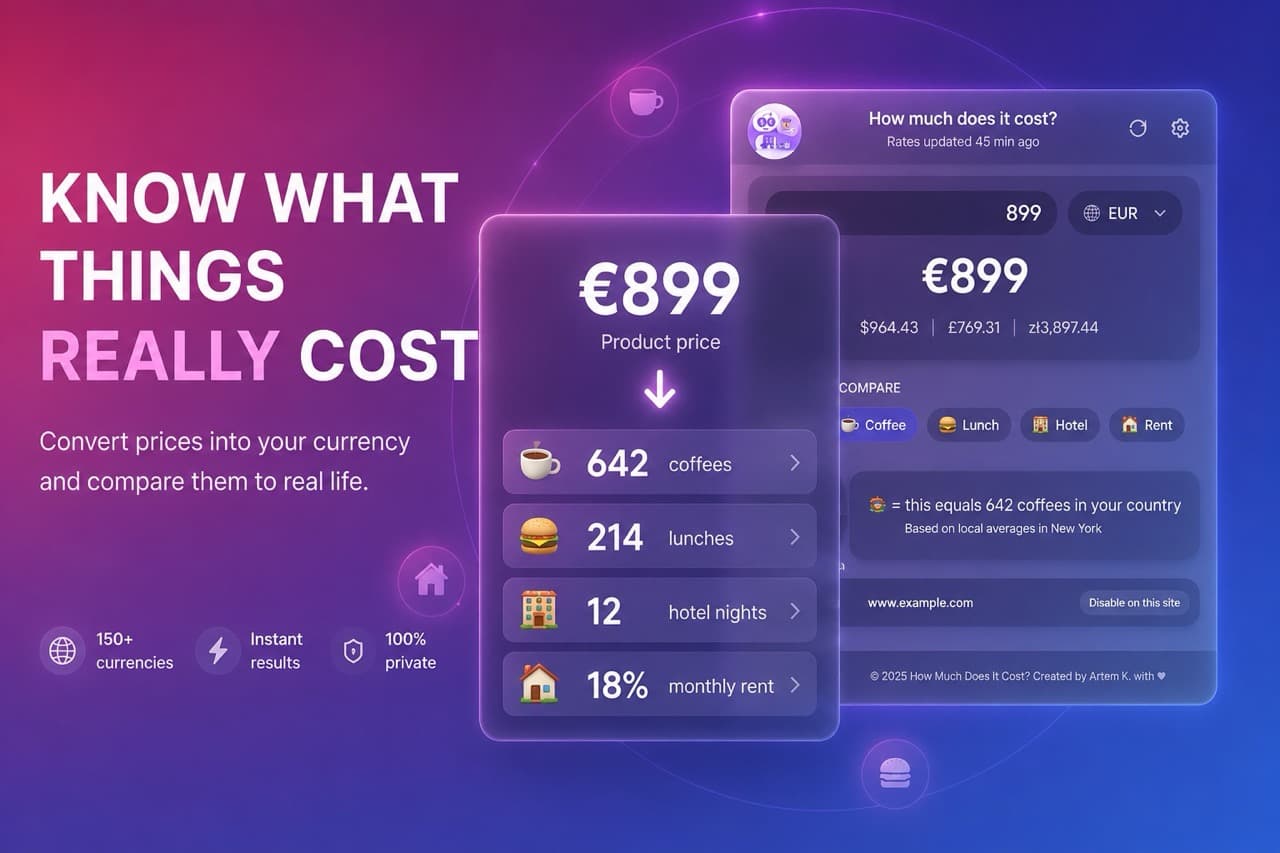
I built this Chrome extension because I kept finding myself staring at a price tag in a foreign currency and having absolutely no idea if it was expensive or cheap.
You know the feeling. You're on Booking.com looking at a hotel in Tokyo, and the price is listed in yen. Or you're scrolling through a European store's sale, and everything is in euros. Sure, you could open Google and type "$200 to USD" — but by the time you do that, the moment passes. And even after the conversion, you're left with a number that still doesn't tell you much. Is $180 a good deal for a hotel in Barcelona? It depends, right?
That's the problem this extension solves. It runs quietly in the background while you browse any website — Amazon, Booking, Airbnb, eBay, Etsy, random online stores, you name it — and automatically detects prices on the page. When you hover over a price or click on it (you choose which behavior you prefer), a small glass-styled tooltip appears right there on the page showing you the conversion in your home currency. No switching tabs, no typing numbers, no friction.
But that's only half of what makes it useful.
The part I'm actually proud of is the context comparison. A number in your currency is still just a number. What actually makes a price click in your head is comparing it to something you already understand. So the extension uses cost-of-living data for your specific city — coffee prices, lunch prices, hotel night costs, monthly rent — and tells you things like:
"$180 = 36 coffees in New York"
"$180 = 9 lunches in New York"
"$180 = 1 night in a hotel"
"$180 = 0.1× your monthly rent"
If you choose to set your hourly rate, it also tells you exactly how many hours of work that price costs you. That one hits different. Suddenly a $200 jacket isn't "$200" — it's "10 hours at my job." And you make a different decision.
The extension supports 161 currencies across pretty much every country that has one. Exchange rates update automatically every hour from reliable public APIs. The interface itself is available in 8 languages — English, Russian, German, Spanish, French, Japanese, Korean, and Chinese — so it works for a global audience.
The free version gives you all the core features: automatic price detection on any page, instant multi-currency conversion on hover, real-life context comparisons (coffee, lunch, hotel, rent), hours-of-work calculation, and full customization including dark mode, reorderable currencies, and the ability to disable the extension per website.
The Premium upgrade (one-time $9.99, no subscription) adds three things for power users: savings goals where you can track progress toward any purchase (e.g., "New MacBook — $2,500 — you're 12% there"), custom comparison categories with emoji icons (e.g., "my gym membership is $50/month, so this price equals 2 gym memberships"), and budget alerts that flag prices exceeding a percentage of your monthly income.
Everything runs locally. No accounts, no sign-ups, no personal data sent anywhere. Your settings, your currency preferences, your hourly rate — all stored in your browser's local storage. The only external call the extension makes is to get current exchange rates and, optionally, to fetch cost-of-living data for your city from Numbeo.
I wanted to build something that genuinely changes how people perceive prices when shopping internationally. Not just a converter, but a tool that makes prices emotionally legible. When you stop seeing abstract numbers and start seeing coffees, lunches, and hours of your life — you spend smarter.
Product details are supplied by the publisher. Verify current features, availability, and pricing on the official How Much Does It Cost? website.


Artem K.

AI Tool Hall of Fame


