Product Hunt Alternative
Product Hall of Fame
ProductFame helps founders launch products, gain visibility, and earn backlinks while users discover new startups and tools.
ProductFame helps founders launch products, gain visibility, and earn backlinks while users discover new startups and tools.

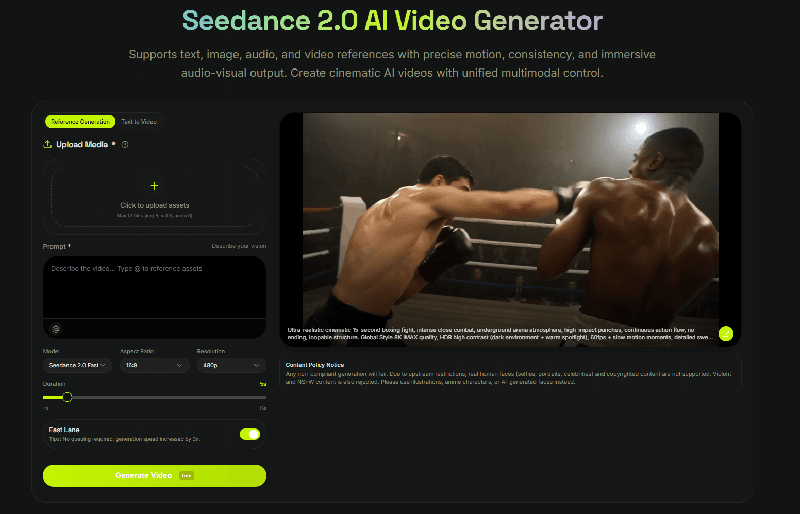
Seedance 2 Pro is a next-generation AI video generator that creates cinematic videos from text, images, or video inputs. It is designed for professional use, offering long-form video generation, stable characters, and synchronized audio, allowing users to produce story-driven content without traditional filming or editing.
How does Seedance 2 Pro work?
Seedance 2 Pro uses a multimodal AI architecture that understands text, images, and audio together to generate coherent videos.
Key features include:
Text-to-Video & Image-to-Video: Generate videos from prompts or reference images
Multi-shot storytelling: Create continuous scenes with consistent characters and style
Native audio synchronization: Video and sound are generated together with natural lip-sync
Director-level camera control: Control camera movement and scene composition
HD output: Export high-quality videos ready for social media, ads, or production
Users simply input prompts or upload assets, adjust settings, and generate videos within seconds.
Who uses Seedance 2 Pro?
Seedance 2 Pro is used by:
Content creators & influencers — for social media and storytelling videos
Marketing teams & advertisers — for ads, product demos, and campaigns
Filmmakers & studios — for pre-visualization and concept videos
Businesses & educators — for explainers, training, and presentations
Seedance 2 Pro combines multimodal input, cinematic control, and fast generation, making it a powerful tool for creating professional video content quickly and at scale.
Seedance 2.0 is a multimodal AI video generator that creates cinematic videos from text, images, audio, and video references, with precise control over motion, camera, and scene composition.
It’s designed to give creators director-level control, allowing you to guide lighting, transitions, and storytelling with natural language prompts.
You can use it to:
Turn prompts into multi-scene cinematic videos
Combine multiple references to keep characters and style consistent
Control motion, camera movement, and scene transitions
Edit or extend videos without regenerating everything
Product details are supplied by the publisher. Verify current features, availability, and pricing on the official XMK Seedance 2.0 AI Video Generator website.

emily jones


