
GPT Image 2.5
What Is GPT Image 2.5?
# GPT Image 2.5 – AI Image Generator & Editor
## Overview
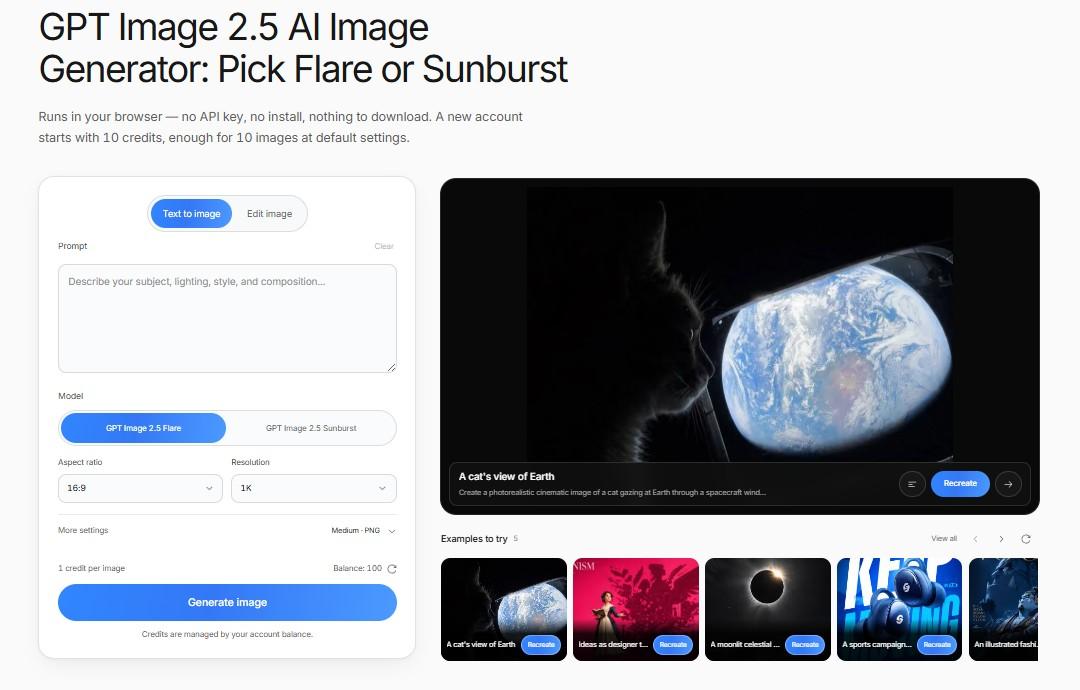
GPT Image 2.5 is an independent browser-based AI image generator and editor for creators, designers, marketers, ecommerce sellers, and small teams.
Users can generate new visuals from text prompts or upload existing images and describe the changes they want using natural-language instructions. The workflow is designed for fast iteration, making it easier to adjust backgrounds, lighting, composition, objects, colors, and visual styles without rebuilding the entire concept from scratch.
## Key Features
- Text-to-image generation
- AI image editing with natural-language prompts
- Reference image support
- Multiple aspect ratios
- 1K, 2K, and 4K output options
- Multiple quality settings
- PNG, JPEG, and WEBP exports
- Prompt-based image refinement
- Browser-based workflow with no software installation
GPT Image 2.5 is especially useful when the first generated image is close to what you want but still needs targeted changes. Instead of starting over, users can continue refining an existing visual through prompts.
## Use Cases
The platform can be used for a wide range of creative and commercial workflows.
Marketers can create social media graphics, campaign concepts, landing-page visuals, posters, and advertising ideas. Ecommerce sellers can explore product-image variations with different backgrounds, lighting, and visual styles.
Designers and creators can use it for illustrations, thumbnails, concept art, reference-based experiments, and early-stage visual exploration. Small teams can also use it to test creative directions before investing in more complex production workflows.
## Getting Started
Getting started is simple:
1. Choose text-to-image generation or image editing.
2. Write a prompt describing the subject, composition, lighting, style, and important details.
3. Upload reference images if needed.
4. Select the preferred aspect ratio, resolution, quality, and output format.
5. Generate the image and refine the result with additional prompts.
A practical workflow is to test the composition first, then increase quality or resolution once the visual direction is working.
## Pricing & Plans
GPT Image 2.5 uses a credit-based system. New users can test the platform with initial credits, while additional credits are available through paid packages.
Generation costs vary depending on the selected image settings, resolution, and quality. The required credit amount is shown before generation so users can choose the settings that fit their workflow and budget.
GPT Image 2.5 is an independent product and is not an official OpenAI website or service.
Product details are supplied by the publisher. Verify current features, availability, and pricing on the official GPT Image 2.5 website.
What Is the Community Saying?
Publisher

lunabella (lunabella)


